
Journal-backed review
Use existing Trading Journal data to review decisions in context instead of relying on memory or isolated screenshots.
Edge Analyzer is built for traders who want clearer feedback loops around their own decisions. Instead of treating every trade as an isolated result, it helps organize AI-assisted historical review, screenshot interpretation, text-versus-chart comparison, and exportable summaries so the trader can study strengths, mistakes, and recurring context with more discipline while staying in control of the final judgment.
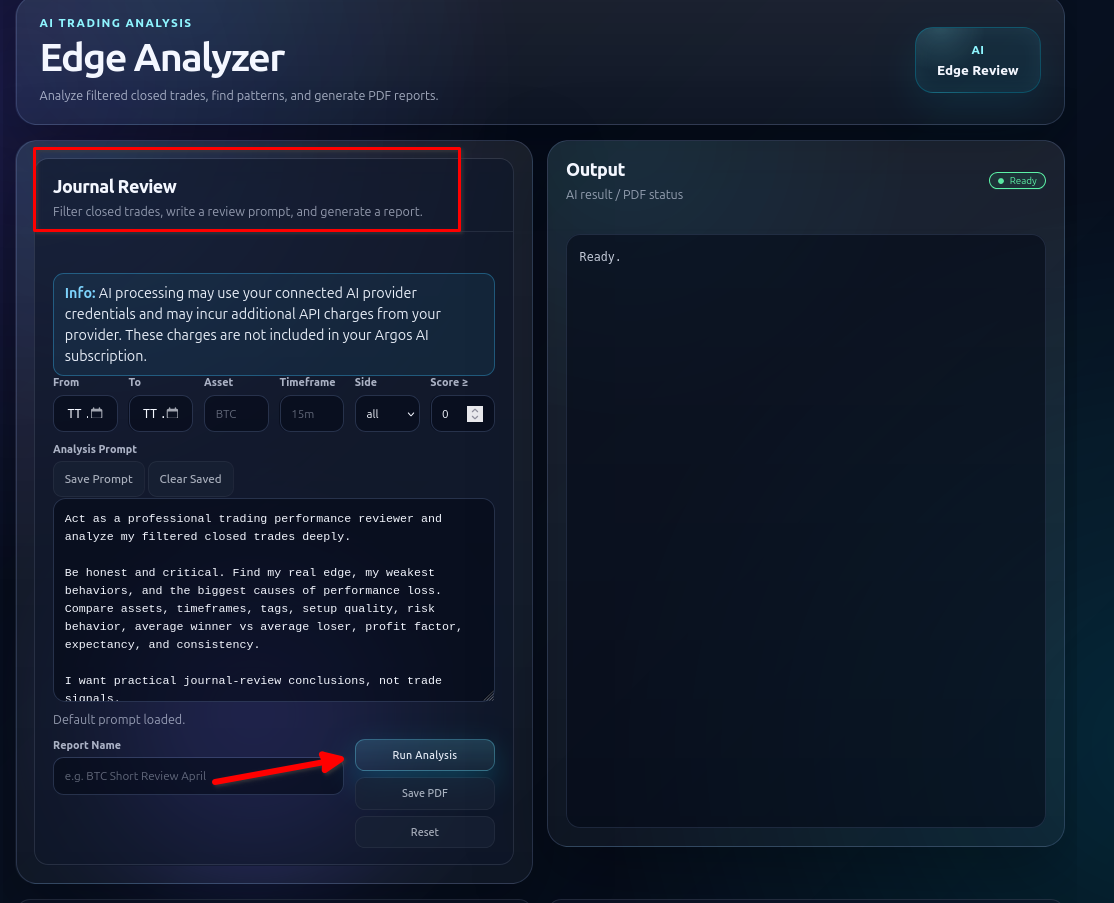
Traders often collect screenshots and notes, but the review process still breaks down because the material is scattered. The chart image lives in one folder, the original thesis sits in a chat, the later outcome is in a spreadsheet, and the actual lesson never gets written clearly. Edge Analyzer aims to close that gap. It gives traders a single place to examine the original view, the visual chart evidence, and the later result in a more deliberate way.
That is especially useful when a trader wants to understand whether an issue came from market uncertainty, from a weak read, or from execution quality. Historical review is rarely about finding a magical answer. It is about reducing repeated mistakes and identifying which parts of a process deserve more trust.
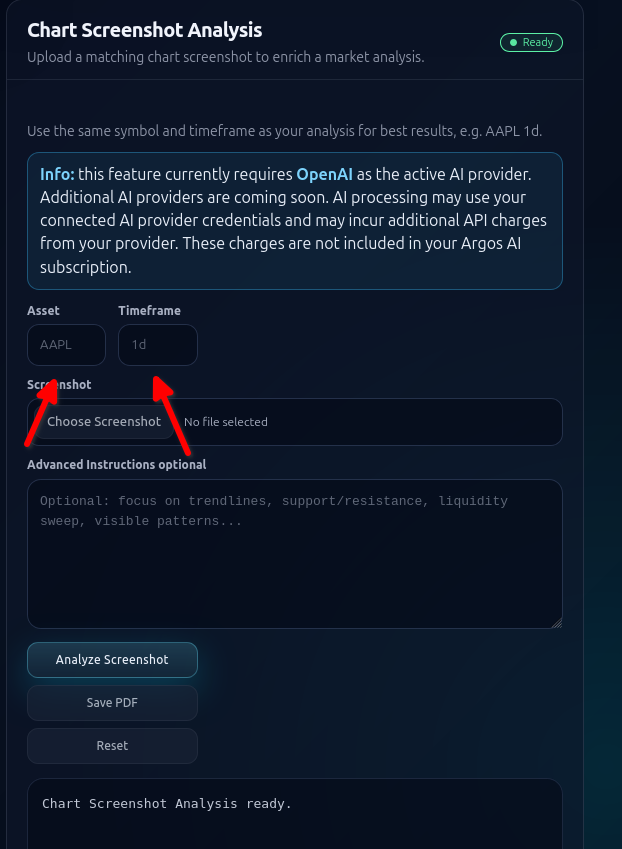
Some market information is visual: structure, trend shape, reaction zones, and how a setup actually looked on the chart at the time. Edge Analyzer supports chart screenshot analysis so that visual layer is not lost. It can also compare a text or data-based analysis against the corresponding chart screenshot for the same asset and timeframe, helping the trader see where the written reasoning and the visual evidence aligned or diverged.
That comparison can be more useful than a generic summary because it focuses on what the trader actually saw and said, not on a later reconstructed story.
Use existing Trading Journal data to review decisions in context instead of relying on memory or isolated screenshots.
Export structured review output when you want a document that can be archived, shared, or compared over time.
Study the repeated conditions around better and worse trades instead of expecting one tool to generate certainty.
Edge Analyzer becomes stronger when it is connected to the other Argos AI capabilities. Trading Journal provides the historical record. AI Trading Analysis workflows can generate the structured market view that later gets reviewed. Crypto Analysis can supply repeatable market summaries, while the Trading Library can hold playbooks or research material that help frame what a good setup should look like.
The overall result is a cleaner cycle: prepare, act, record, review, and refine. That is a stronger long-term proposition than pretending one screen can predict outcomes.
Within that cycle, Argos AI remains a user-controlled decision-support platform inside a broader workflow automation system. The software can help structure the review, but the trader still decides what the evidence means and whether any process change is warranted.